
In 2015, the Air Force Association contracted with the CIAS to develop three digital games for its Elementary School Cyber Education Initiative (ISCEI): Security Showdown 2, Packet Protector and JeffOS.

Since those initial games were created, two additional prototype educational games were developed through National Science Foundation grants. The first interactive game, Project Cipher, introduces students, in fourth grade and up, to cybersecurity principles that focus on cryptography.

The second prototype game, Pyramid of Knowledge, is designed as a testing tool for teachers. It provides educators with the ability to build their own quizzes for use in the game interface. And rounding out these games is Cyber Threat Defender: Digital, targeting players 11 years old and up! All of these cybersecurity games can be found within the CIAS Launcher.
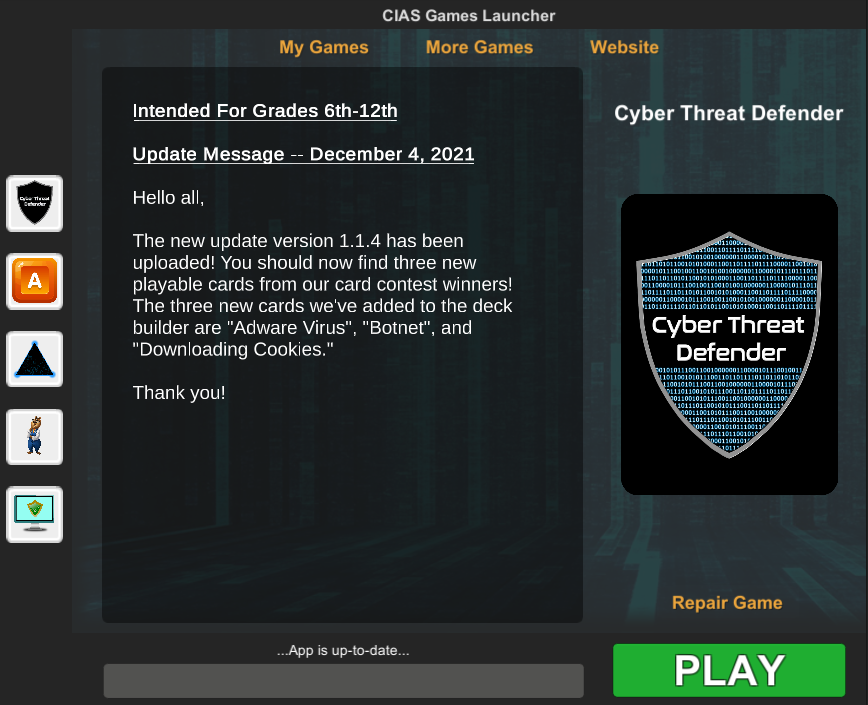
NOTE: For GNU/Linux, use Windows Launcher with WINE compatibility layer and winetricks.

For Mac, locate the app you want to open in the Finder. Control-click the app icon, then choose Open from the shortcut menu. Click Open.

The CIAS Launcher

When you open the “CIAS Launcher” (links below), you will be asked to extract/run the files. Once this process is completed, save the file to your desktop and select the game icons of your choosing. You will need to select “Install” for each game, and then you’re ready to play!

The CIAS Launcher hosts a variety of electronic games, which are all accessed from one location when you download the “CIAS Launcher” to your computer.

About the CyBear Games

Below are brief descriptions of the electronic games featured within the CIAS Launcher. If you have questions about the games or have trouble accessing them, contact cias@utsa.edu.

CyBear’s Network Defense

Grades 3 and up

CyBears Network Defense

Build a computer network to mine for cryptocurrency and use this money to expand and secure your network! Watch how your decisions affect the security and effectiveness of a network in this educational simulation. Along the way, you will learn about some basic networking components, malware and security software. You will also discover some of the ways that you can protect your network from cyber threats. Key topics include malware, defenses, and passwords.
Get launcher

CyBear’s Computer Adventure

Grades 3 and up

CyBears Computer Adventure

Join Alan CyBear, your helpful sidekick, as he guides you through his operating system and covers everything from basic computer skills to dealing with complex issues like phishing and malware. The CyBear's Computer Adventure delivers actionable advice for safer computing in the real world. He also breaks down advanced topics into digestible pieces all while providing players with fun, interesting interaction. Players will walk away from this game with a more developed set of computer skills and a grasp on the importance of cybersecurity in their everyday lives. Keep topics include phishing, malware, and firewalls.
Get launcher

Project Cipher

Grades 4 and up

Project Cipher

Project Cipher introduces students to the concept of cryptography by showing them techniques to hide (encrypt) or discover (decrypt) information by encoding and decoding messages with ciphers. This cyber education game enables the player to move through a progressive storyboard interface that guides the student while solving coded messages with point-and-click puzzles. Project Cipher is designed to introduce two types of ciphers: transposition and substitution ciphers. Players have two options when playing with Project Cipher: (1) A Story Mode that provides a guided tutorial on how to play, examples of various ciphers, and quizzes to reinforce learning objectives; and (2) an interactive free mode that gives direct access to various levels of difficulty of transposition and substitution ciphers.
Get launcher
Master malware removal

live on Nov 4

Days
Hours
Minutes
Seconds